A Browser Use alternative for Claude Code, Codex and Cursor
Browser Use builds web agents: a Python framework, browsers in its cloud, and a harness that hands your coding agent your whole Chrome. Tabhand does one job. Each coding agent gets tabs of its own in the Chrome you’re signed in to, in the background, and nothing else.
npx tabhand setupFree and open source. Works with Claude Code, Codex, Cursor and 16 more. Nothing leaves your Mac.
Which Browser Use?
Browser Use is a few products now:
- The Python library. You write a script, and its own agent loop drives a browser with a model you pay for. It starts a Chromium of its own unless you point it at your Chrome.
- Browser Use Cloud. Browsers and agents in its data centers, from $0.02 a browser hour, plus the model.
- Browser Harness and the Browser Use CLI. Made for coding agents: they attach to the Chrome you have open.
Building a web agent in Python, or running hundreds of browsers on servers? Browser Use is the better tool. Want Claude Code, Codex or Cursor working in your own signed-in Chrome? Read on.
Why coding agents do better on Tabhand
Their tabs, not your whole Chrome
Browser Harness connects through Chrome’s remote debugging, and Browser Use’s own guide is plain about it: “it sees your whole Chrome, not a chosen tab or site.” Your inbox, your bank, the doc you’re writing: all in reach.
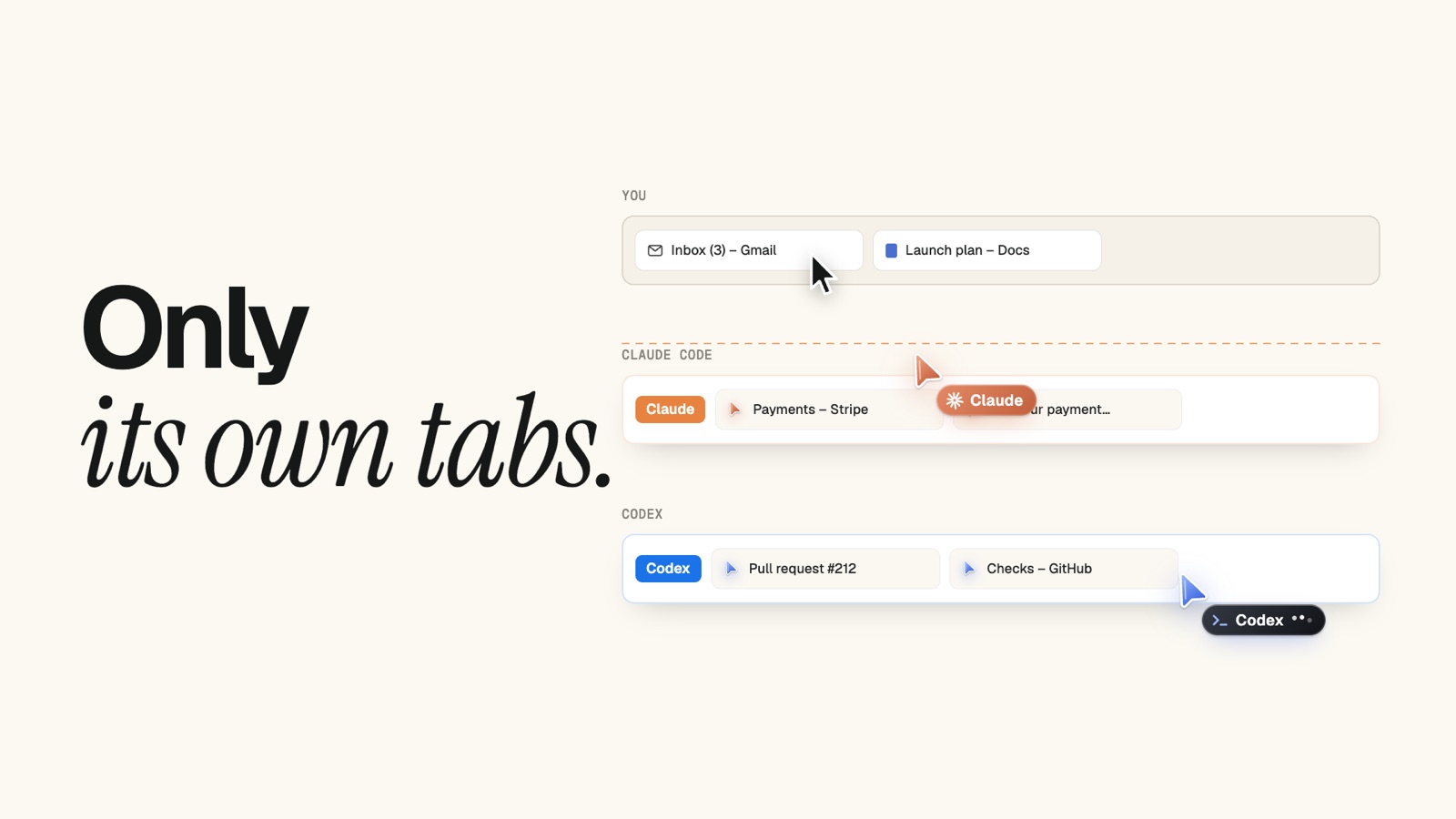
A Tabhand agent can use the tabs it opened and the pages those open. Your tabs, and other agents’ tabs, aren’t on its list.
Two agents, no fight
The instructions Browser Harness gives agents say it outright: “Local Chrome is one shared browser; parallel tasks fight over tabs and focus.”
Tabhand gives each agent a tab group, color and cursor of its own. Claude Code and Codex can work at the same time, each in its own lane, while you keep your tabs.
No switch to flip in Chrome
Browser Harness needs Chrome 144 or later, “Allow remote debugging for this browser instance” ticked at chrome://inspect, and a click on Allow. It installs with uv, a Python tool.
Tabhand is one command and an extension from the Chrome Web Store. Chrome’s settings stay as they are.
Nothing sent home
By Browser Use’s own account, the Harness CLI “sends usage telemetry by default, including the code the agent pipes to it.” You can turn it off, if you know to.
Tabhand has nothing to turn off: no servers, no accounts, no telemetry. The code is on GitHub for anyone to read.
Your logins stay where they are
The library’s “real browser” mode works from a copy of your Chrome profile, and its docs warn you may need to close Chrome first. Browser Use Cloud can sync your cookies to its cloud, and says sites can “bind sessions to a device or network”, so a copied login may not work there.
Tabhand copies nothing. Your agent works in the Chrome you have open, signed in the way you are, two-factor and single sign-on included.
Side by side
| Tabhand | Browser Use | |
|---|---|---|
| Agents kept to their own tabs | ✓ | Harness sees all of Chrome |
| A lane for each agent | ✓ | — |
| No telemetry | ✓ | On by default in the Harness CLI |
| Nothing to change in Chrome | ✓ | Remote debugging on |
| Browsers in the cloud, by the thousand | — | ✓ |
| Stealth, CAPTCHA solving and proxies | — | ✓ |
| Windows and Linux | — | ✓ |
| An agent of its own that takes a goal | — | ✓ |
Where Browser Use is ahead
- Scale. Ten cloud browsers at once on the free credit, up to a thousand as you spend more.
- Getting past bot checks. Stealth browsers, CAPTCHA solving, and residential proxies in more than 195 countries.
- Servers. It runs in Docker, CI and serverless jobs, on Windows and Linux too.
- A big community. About 119,000 stars on GitHub.
Tabhand is for the agents on your own Mac, working in your own accounts.
An agent signed in as you
It can do what you can, so Tabhand keeps its reach small:
- It reaches only the tabs it opened.
- One click on the Tabhand icon in Chrome’s toolbar pauses every agent.
- Tabhand tells agents to check with you before they send, post, buy, delete or change a setting.
Questions
Is Tabhand open source, like Browser Use? Yes, under the MIT license, the same as Browser Use’s library.
Does Tabhand need a model or an API key? No. It runs no model of its own. Your coding agent does the thinking, on the plan it already has.
Can I use both? Yes. Browser Use for agents you run on servers, Tabhand for the agents on your Mac.
Give your agents your Chrome
npx tabhand setupFacts about Browser Use checked on October 27, 2026 against its library on GitHub, real-browser docs, profile sync docs, pricing, Browser Harness and its guide How to let your coding agent use your logged-in Chrome. If something here is out of date, tell us.